Find the audio context straight away
Jump to a marker and listen to the passage in context. Understand the request before your pickup session instead of searching from a written description alone.
For voice artists and audiobook narrators
A misread, a name or a different delivery: a good pickup starts with the exact passage and a clear request. SpokenEdit connects both directly to your recording.
Start for free without a credit card. Capacity and retention periods depend on your plan.
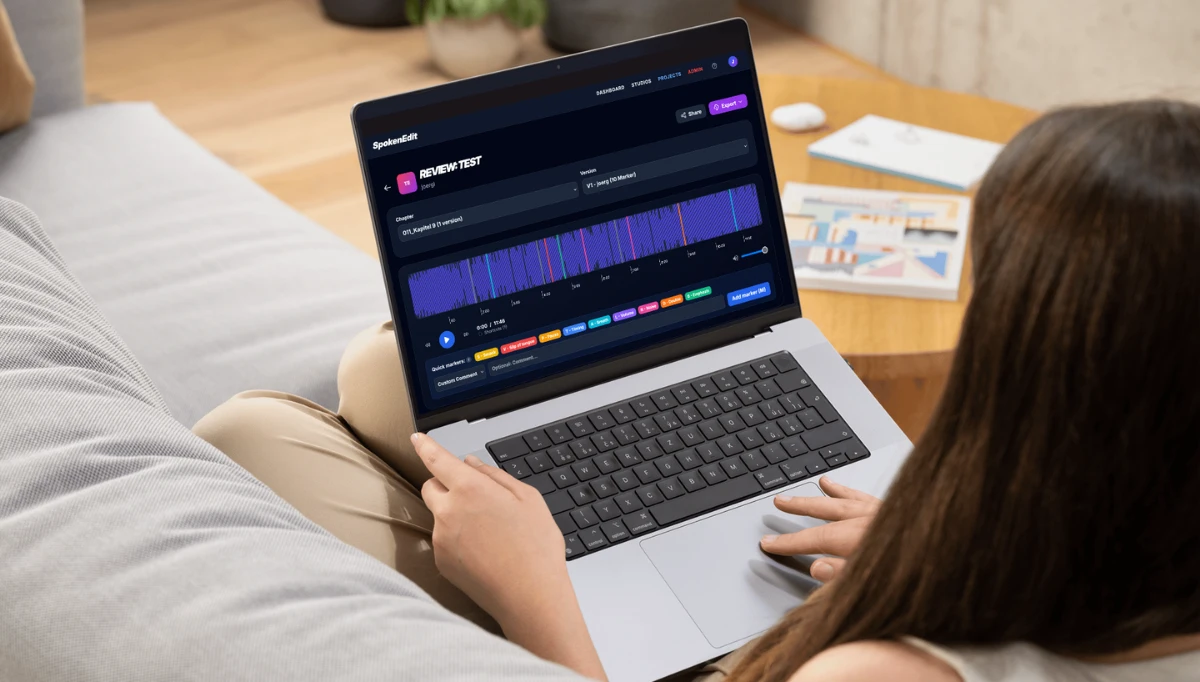
When feedback arrives across several messages, matching it to the recording takes time. A shared review keeps the passage and the comment together.
Jump to a marker and listen to the passage in context. Understand the request before your pickup session instead of searching from a written description alone.
Ask your client or editor to describe the intended change in a comment. A marked name or phrase gives you a specific point to discuss before you record again.
Keep track of open corrections and mark items as resolved where your role allows. A revised recording can then be reviewed as another version.
Create a project for your audiobook, voice-over or other spoken-word production and upload the MP3 recording. For longer productions, organize the files as individual chapters.
Share a review link with your client or join the studio's project as a registered member. Markers and comments show which passages need a change.
Make the changes in your usual recording setup. Provide the revised listening copy or coordinate it with the responsible studio. The new version can then be checked in the review.
Your client wants a different pronunciation of a name. They mark the passage and describe the intended pronunciation in a comment. You listen to the sentence in context and prepare the pickup. The client then checks the revised version.
An account is not needed to leave feedback through a review link with markers and comments enabled. Permanent studio or project roles require an individual account.
Yes. Register for free and verify your email address. The studio can then add you using your registered address and assign a suitable role. That role determines which actions you can perform.
No. SpokenEdit organizes feedback and reviews. Recording, editing and inserting a pickup still take place in your recording or editing software.
Yes. A project can contain a single MP3 recording. You do not need a complete audiobook to review a recording with markers and comments.
Learn about roles, review links and approvals in the help guide
Start for free and collect your next round of corrections at the relevant points in the audio.
From editorial proofing to client reviews and pickups, find the workflow that fits your production.
Coordinate editors and proof listeners, discuss pickups and approve audiobook chapters.
Audiobook proofing for publishersCollect client feedback directly in spoken-word recordings and review revised versions together.
Client reviews for recording studiosHear specific corrections, clarify pronunciation and prepare your next pickup session.
Pickups for voice artists