Pinpoint each correction
Mark misreads, pronunciation or delivery directly in the waveform. A comment explains the requested change without asking the studio to copy timestamps out of an email.
For audiobook publishers and editorial teams
Editors, proof listeners and recording studios can quickly end up working from different correction lists. SpokenEdit puts feedback at the right point in the audio and makes the review status of your audiobook production visible.
Start for free without a credit card. Capacity and retention periods depend on your plan.
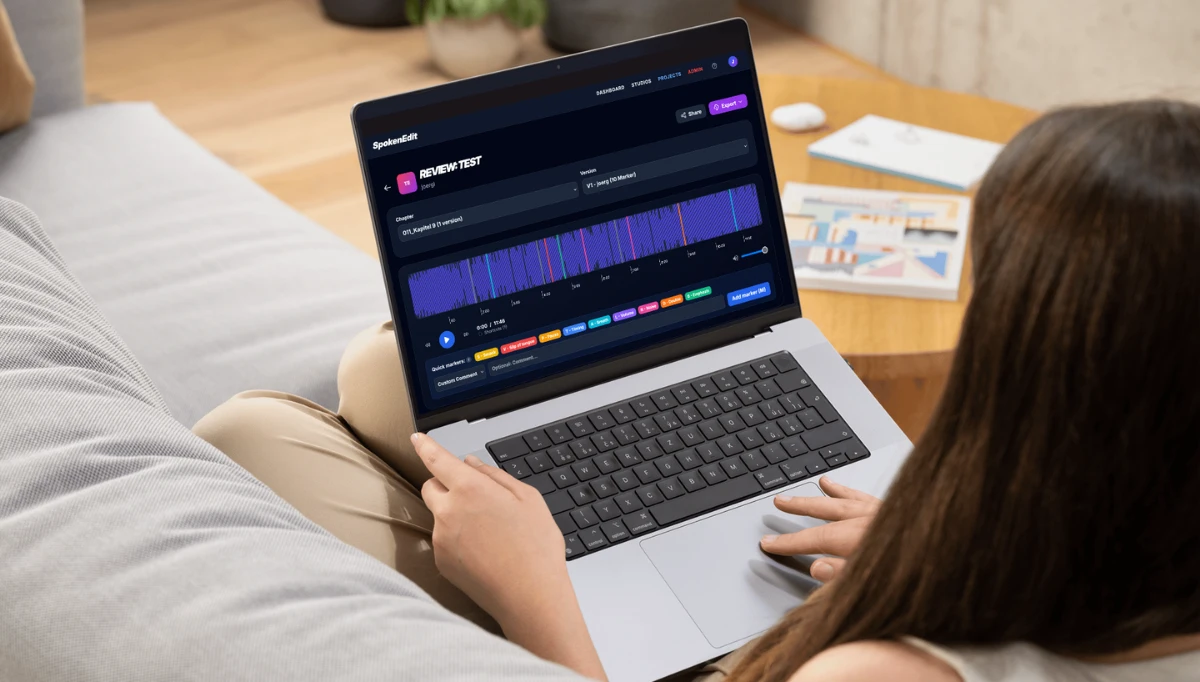
Audiobook proofing needs context: which chapter, which recording and which passage? Keep that information together when your team leaves feedback.
Mark misreads, pronunciation or delivery directly in the waveform. A comment explains the requested change without asking the studio to copy timestamps out of an email.
Organize a title's MP3 recordings as chapters. Add revised recordings as further versions so your team can identify the recording being reviewed.
Assign studio and project roles that match your collaboration. Chapter status helps your team distinguish work still under review from chapters that have been approved.
Create a project for the title and upload its chapters as MP3 files. Add the manuscript as a PDF if your proof listeners need to read along during review.
Add registered team members with suitable roles. External reviewers can leave feedback without an account through a review link with commenting enabled.
Use markers to coordinate changes and review the revised recording as another version. Authorized project members approve chapters after the final check.
An editor spots a mispronounced name while proof listening. Rather than adding another spreadsheet row, they place a marker and describe the intended pronunciation. The narrator and studio can find the passage in its audio context. The pickup is reviewed in a new version before the chapter is approved.
No. SpokenEdit organizes collaborative proof listening and feedback. People assess the content, pronunciation and recording quality. The application does not automatically compare spoken words with the manuscript.
No account is needed to review through a review link. You choose whether the link allows markers and comments. A permanent studio or project role requires an individual account.
Yes. A project brings together the chapters of an audiobook. Additional recordings can be stored as versions of a chapter. Available capacity depends on your plan.
Start with a free account and a short MP3 chapter. Add a correction marker, share a review link and try the process with your team. Current storage limits and retention periods are listed in the pricing overview.
Learn about roles, review links and approvals in the help guide
One recording, one review link and one specific correction are enough for a first review with your team.
From editorial proofing to client reviews and pickups, find the workflow that fits your production.
Coordinate editors and proof listeners, discuss pickups and approve audiobook chapters.
Audiobook proofing for publishersCollect client feedback directly in spoken-word recordings and review revised versions together.
Client reviews for recording studiosHear specific corrections, clarify pronunciation and prepare your next pickup session.
Pickups for voice artists