Feedback in the right place
Clients place markers during playback and describe their requested changes. Your team can jump straight to the passage instead of switching between email and audio.
For recording studios and audio production teams
“Change that bit somewhere in the middle” gives an editor little to work with. With SpokenEdit, clients listen in the browser and mark specific changes. Your studio gets feedback it can locate in the recording.
Start for free without a credit card. Capacity and retention periods depend on your plan.
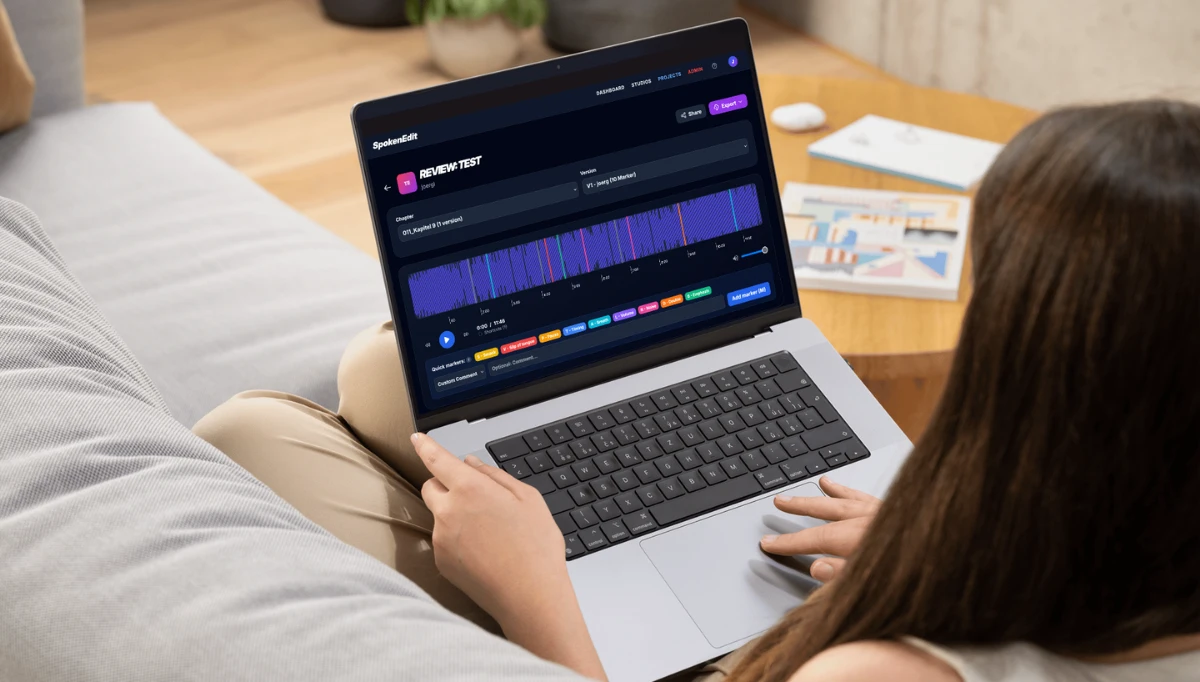
Spoken-word productions often go through several review rounds. Collect feedback where editors, directors and clients can hear the same passage.
Clients place markers during playback and describe their requested changes. Your team can jump straight to the passage instead of switching between email and audio.
Share a review link with external clients. Listening in the browser needs no audio software. With commenting enabled, guests can also mark corrections without an account.
Create projects for individual productions and organize the recordings within them. Versions and chapter status help distinguish ongoing revisions from completed reviews.
Export your spoken-word recording from your DAW as an MP3 and upload it to a project. Recording, editing and mixing stay in your usual production software.
Create a review link and choose whether guests can only listen or also comment. Ask for one marker per requested change to keep the next round clear.
Work through the feedback in your DAW and provide a new version for another listen. Authorized project members can use chapter approvals to record the final decision.
A client reviews three recordings and wants a calmer delivery in part of the second file. Their comment becomes a marker in the correct chapter. The director can discuss the passage with the voice artist and then provide a revised recording for review.
No. You still record, edit and mix in your DAW. SpokenEdit is the shared environment for listening to, commenting on and approving exported listening copies.
MP3 files are currently supported. Export an MP3 listening copy for review. Your uncompressed production files and DAW sessions stay in your existing workflow.
Yes. Review links can be revoked. Set permissions to match the job and only share links with the intended recipients.
You can try the workflow for free. Alongside subscriptions, a time-limited Event Ticket is available without a recurring subscription. See the pricing overview for duration, capacity and retention details.
Learn about roles, review links and approvals in the help guide
Upload a short listening copy and try collecting feedback directly in the audio with your client.
From editorial proofing to client reviews and pickups, find the workflow that fits your production.
Coordinate editors and proof listeners, discuss pickups and approve audiobook chapters.
Audiobook proofing for publishersCollect client feedback directly in spoken-word recordings and review revised versions together.
Client reviews for recording studiosHear specific corrections, clarify pronunciation and prepare your next pickup session.
Pickups for voice artists